


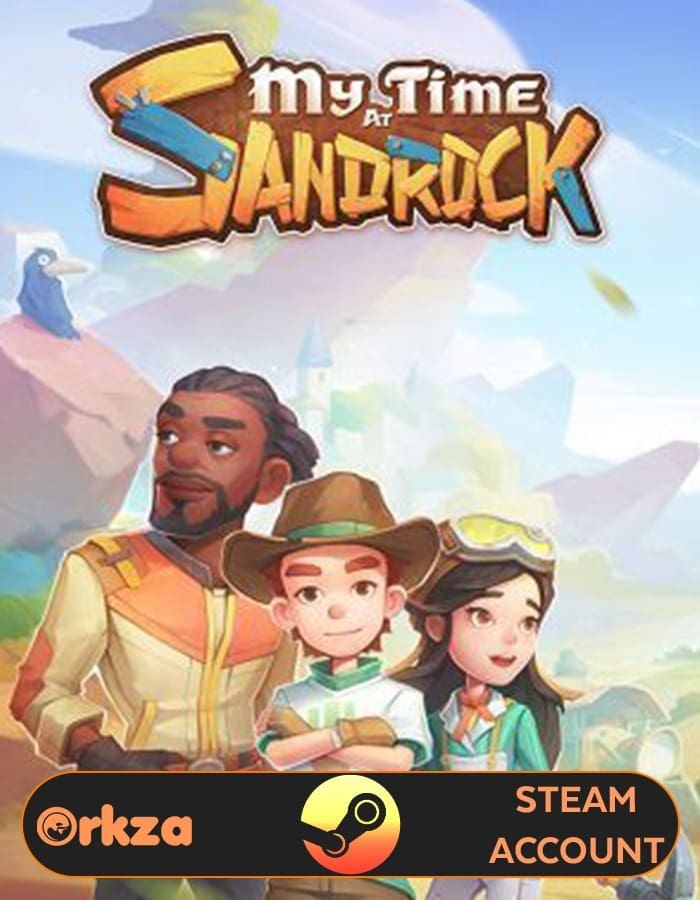



 Note : Account data cannot be changed. This is a Lifetime Access Steam Account with Offline play only

My Time at Sandrock
Begin a heartfelt life-simulation adventure in My Time at Sandrock, the sequel to the beloved My Time at Portia. Set in a post-apocalyptic desert community struggling to rebuild civilization, you’ll take on the role of a builder tasked with restoring Sandrock to prosperity.
Gather resources, craft tools, and construct buildings that transform the dusty frontier into a thriving town. The game blends rich storytelling with engaging crafting systems, farming, social interaction, and exploration. Meet over 30 unique NPCs, each with their own personalities, routines, and stories to uncover. Forge friendships, fall in love, and build a meaningful life as you contribute to Sandrock’s future.
My Time at Sandrock enhances every feature from its predecessor, introducing dynamic combat, a deeper skill system, and an expanded open world filled with dungeons, hidden treasures, and adventure. Whether you’re customizing your workshop, tending crops, or helping locals through quests, every choice you make shapes the town’s destiny.
System Requirements (Snippet-Friendly)
Minimum:
OS: Windows 10 64-bit
Processor: Intel Core i3-2100 / AMD FX-6300
Memory: 8 GB RAM
Graphics: NVIDIA GTX 760 / AMD Radeon HD 7950
Storage: 20 GB available space
Recommended:
OS: Windows 10/11 64-bit
Processor: Intel Core i7-9700 / AMD Ryzen 7 3700X
Memory: 16 GB RAM
Graphics: NVIDIA GTX 1070 / AMD RX 580
Storage: 20 GB SSD space
Experience crafting, friendship, and discovery in a beautifully detailed desert world — My Time at Sandrock is your story of creation and renewal.
How to Use Your My Time at Sandrock Steam Account

After purchase, log into the provided Steam account on your PC. Once logged in, navigate to your library, install the game, and click on the play button. After a few minutes, exit the game and switch Steam to offline mode, and you’re all set to dive into hours of exciting gameplay!
For a comprehensive setup process, refer to our Steam Account Activation Guide
Explore Our Newest PC GAMES
 Overview

| Type | STEAM ACCOUNT |
|---|---|
| Region | GLOBAL |
| Warranty | LIFETIME |
| Delivery | INSTANT (EMAIL) |
More Like This






William Wright (verified owner) –
Everything was delivered quickly.
Penelope Phillips (verified owner) –
Activated quick, no trouble.
Daniel Rodriguez (verified owner) –
Got bonus content too. Nice!
Emily Walker (verified owner) –
Totally worth it, login was fast.
Levi Carter (verified owner) –
The account worked instantly and smoothly.
Mason Wilson (verified owner) –
Support was great too.
Matthew Nelson (verified owner) –
Worked first time. Thank you.
Riley Morris (verified owner) –
Trusted and solid deal.
Jacob Garcia (verified owner) –
Just logged in and played.
Mia Moore (verified owner) –
Straightforward and fast process.
Emily Walker (verified owner) –
Perfect for fast setup.
Nora Turner (verified owner) –
Got access in seconds, amazing experience.
James Thomas (verified owner) –
Quick response and everything worked.
Amelia Anderson (verified owner) –
Account worked with no issues.
Noah Smith (verified owner) –
Clean and verified. Happy with it.